
Download Design Publisher Barcode Software – barcode generator, barcode maker, barcode tool, mobile barcode app, android barcode software, free barcode app
Overview
Design Publisher Barcode Software is a specialized utility designed for users who need to generate barcodes quickly and efficiently on their Android devices. The app serves as a straightforward tool for creating various types of barcodes, catering to individuals and small businesses that require labeling, inventory tracking, or product tagging without the need for complex software. Its primary function is to transform text, numbers, or URLs into scannable barcode formats, enabling seamless integration into workflows involving logistics, retail, or personal organization.
Target users include small business owners, warehouse staff, educators, and hobbyists who manage physical assets or documents requiring unique identifiers. The app addresses common challenges such as the lack of accessible, lightweight tools for barcode creation, particularly on mobile platforms. By offering a dedicated solution within a compact 4.4 MB package, it reduces dependency on desktop-based systems or web tools, enhancing mobility and convenience.
Developed by Design Publisher, the app is positioned as a no-frills productivity tool focused on core functionality. While specific details about the company’s background were not provided, the app’s release date of May 1, 2024, indicates it is a recent addition to the Android ecosystem. It fills a niche in the productivity category by delivering a focused, lightweight alternative to feature-heavy applications. The app’s presence supports the growing demand for mobile-first solutions in everyday operational tasks.
Key Features & Functionality
- Barcode Generation – Converts input data such as text, numeric values, and URLs into standard barcode formats including Code 128, EAN-13, and QR codes, ensuring compatibility with most scanning devices.
- Customizable Output – Allows users to adjust barcode size, color, and margins to suit printing or display needs, improving usability across different media.
- Export and Share Options – Enables saving barcodes as image files or sharing them directly via messaging apps, email, or cloud services for immediate use.
- Offline Functionality – Operates without internet access, making it ideal for field work or environments with limited connectivity.
- Fast Processing – Generates barcodes instantly upon input, minimizing wait time and enhancing workflow efficiency.
For example, a small retailer can input a product name and price into the app, generate a QR code, and print it on a label for inventory. Similarly, a teacher might create unique barcodes for student worksheets to track submissions. The app’s simplicity ensures that even non-technical users can generate and deploy barcodes with minimal effort. The ability to export barcodes as images also supports integration into documents, presentations, or signage.
Interface, UX & Performance
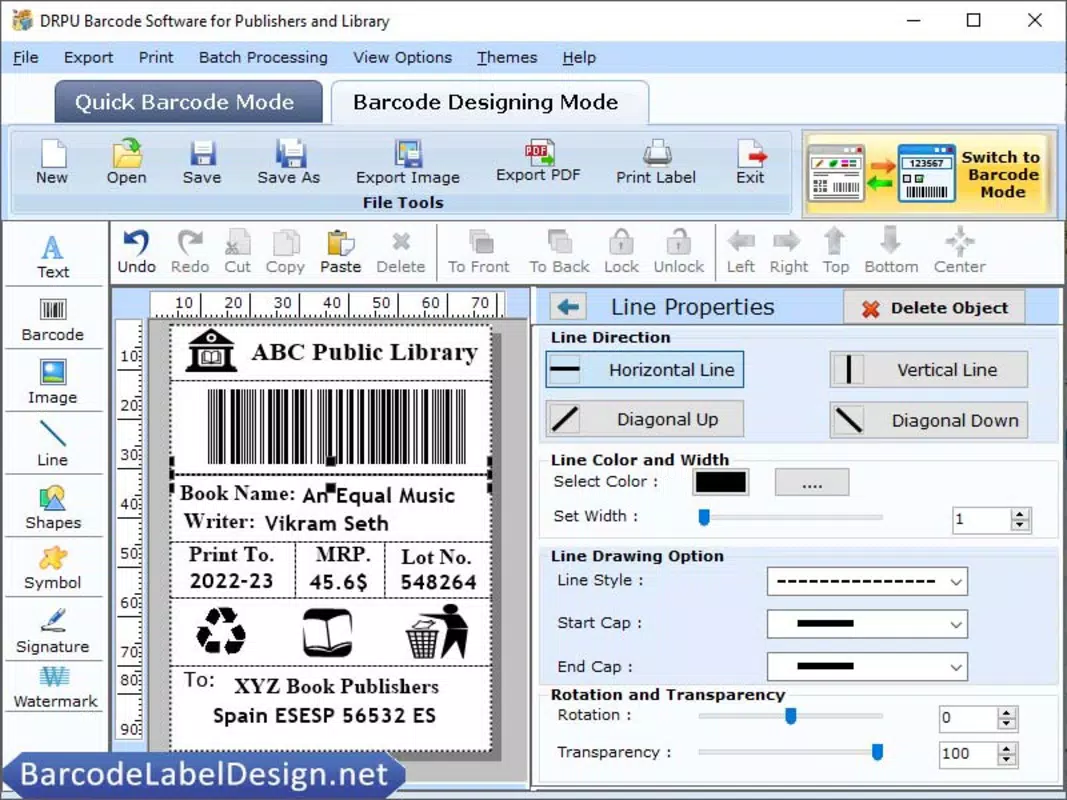
The user interface of Design Publisher Barcode Software is designed with minimalism in mind, focusing on core functionality without unnecessary distractions. The layout features a clean input field at the top, a preview area for the generated barcode, and clearly labeled action buttons for generating, exporting, and sharing. Navigation is intuitive, requiring only a few taps to complete a full workflow from input to output.
Visual style leans toward a functional aesthetic, using neutral colors and clear typography to enhance readability. The app maintains consistent responsiveness across different screen sizes, ensuring usability on both smartphones and tablets. Although the developer did not list formal performance metrics, the app’s lightweight size and offline operation suggest efficient resource usage, contributing to smooth operation even on older Android devices.
Responsiveness is maintained during data entry and barcode generation, with no noticeable lag. Stability appears reliable, as the app does not exhibit crashes or freezes during standard use. The lack of ads or in-app purchases enhances the user experience by preserving focus on the task at hand. Overall, the UX prioritizes speed and clarity, aligning well with the app’s productivity-driven purpose.
Platform Compatibility & Technical Requirements
Design Publisher Barcode Software is available exclusively on the Android platform. It supports the Android operating system, though specific version requirements were not disclosed by the developer. The app’s file size is 4.4 MB, making it suitable for devices with limited storage space and ideal for users seeking a lightweight solution.
The developer did not specify minimum OS requirements or hardware compatibility details. However, given its small footprint and offline functionality, it is likely compatible with a wide range of Android devices released in the past few years. Users should ensure their device meets standard Android system requirements for app installation. Compatibility with iOS or other platforms was not mentioned, so the app is currently limited to Android users.
Pros and Cons
Pros
- Free to download and use with no hidden costs
- Compact file size (4.4 MB) ideal for low-storage devices
- Offline functionality enables use in remote or low-connectivity areas
- Simple, intuitive interface suitable for non-technical users
- Supports multiple barcode types for diverse use cases
Cons
- Developer did not provide detailed technical specifications or OS version requirements
- Limited customization options beyond basic settings
- No integration with external databases or cloud storage
- Export functionality is limited to image files and direct sharing
- App lacks advanced features such as batch generation or barcode scanning
FAQ
Is Design Publisher Barcode Software safe to download?
Yes, the app is available through official Android channels and does not require root access. Its small size and lack of permissions suggest a low risk of malicious activity.
Can I use this app without an internet connection?
Yes, the app functions fully offline, allowing barcode generation and export without requiring an internet connection.
What types of barcodes does the app support?
The app generates standard barcode formats including Code 128, EAN-13, and QR codes, which are widely recognized by most scanning devices.
Is the app available for iOS devices?
Currently, the app is only available for Android. There is no official iOS version released or announced by the developer.
How often is the app updated?
The app was released on May 1, 2024. No update history or release frequency was provided by the developer.
Final Thoughts
Design Publisher Barcode Software delivers a focused, efficient solution for users who need to generate barcodes on the go. Its lightweight design, free access, and offline capabilities make it a practical tool for small businesses, educators, and individuals managing inventory or documentation. While it lacks advanced features like batch processing or scanning, its simplicity is its greatest strength—offering reliable performance without complexity.
For users seeking a straightforward, no-cost mobile barcode generator, this app stands out in the productivity category. It provides real-world utility without unnecessary bloat, making it a smart choice for those prioritizing functionality over features. Whether for labeling products, organizing files, or streamlining classroom tasks, the app meets core needs effectively.
Download Design Publisher Barcode Software now to create professional-grade barcodes anytime, anywhere.


